New Features
Search with Coordinates
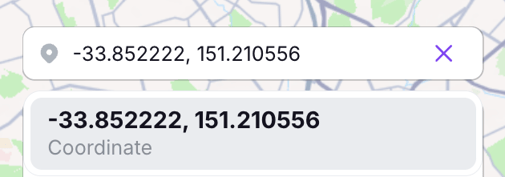
We've added the ability to search for locations using latitude and longitude coordinates. To search using coordinates, ensure you input the latitude and longitude as a decimal format and include a comma between the coordinates. This means removing any directions (e.g., N, E, S, W) and any degree symbols. Below is an example of decimal formatting:
Export Speed and G-force Bins as .CSV files
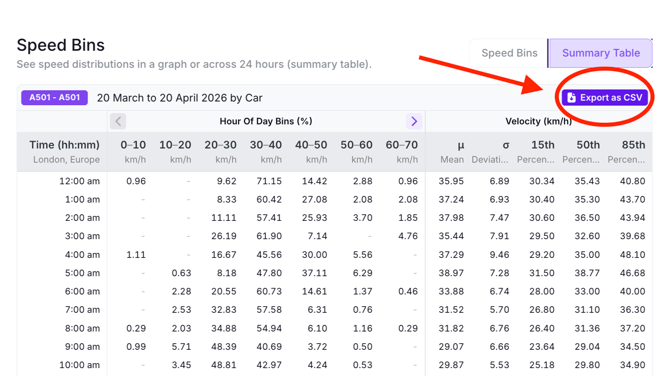
In Path Analysis, you can now download Speed Bin and G-force Bin tables as .CSV files. To download the .CSV files, select the Summary Table tab. At the top right-hand corner of the tables, there is an 'Export as CSV' button. Clicking this button will trigger your .CSV file download
WaySync Integration
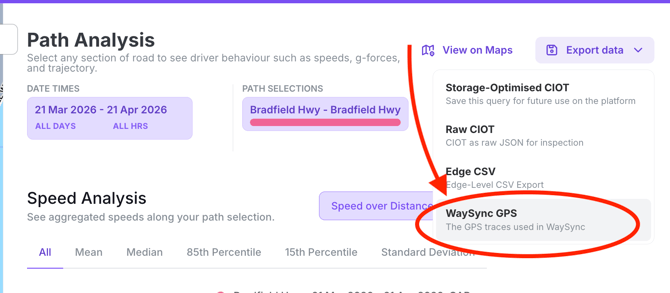
In Path Analysis, we've enabled integration with WaySync. If you are a Waysync user, this means you can download your Path Analysis traces and import them into WaySync. Download WaySync GPS files under the Export Data tab in Path Analysis.